Cooling & Heating

Automate your business through IoT with Samsung

Revolutionize your business with SmartThings Pro, AI-powered IoT solution for residential, retail, hospitality and corporate.


Watch video
SmartThings Pro's customized dashboard with IoT device information, multiple graphs and charts displaying device operation and energy usage data.
Icon of a gear wheel surrounded by circular lines, representing integrated management.

Integrated management

Leverage a robust ecosystem to scale your business with seamless device integration.
Icon of two connected gear wheels surrounded by circular arrow lines, representing autonomous operation.

Autonomous operation

Operate devices and manage spaces across locations remotely through diverse automation settings.

Icon of a person's hand with a battery placed on top, representing energy and sustainability.

Energy & sustainability

Monitor energy usage, analyze the environmental impact of your business and increase energy savings.
Icon of a computer screen next to a smartphone, representing SmartThings Pro's versatile interface.

Versatile interface

Both mobile application interface and web interface are supported, offering flexibility to users.

Introducing SmartThings Pro

SmartThings Pro is our integrated B2B IoT solution, utilizing the power of AI to enhance space efficiency and digitally transform your business.
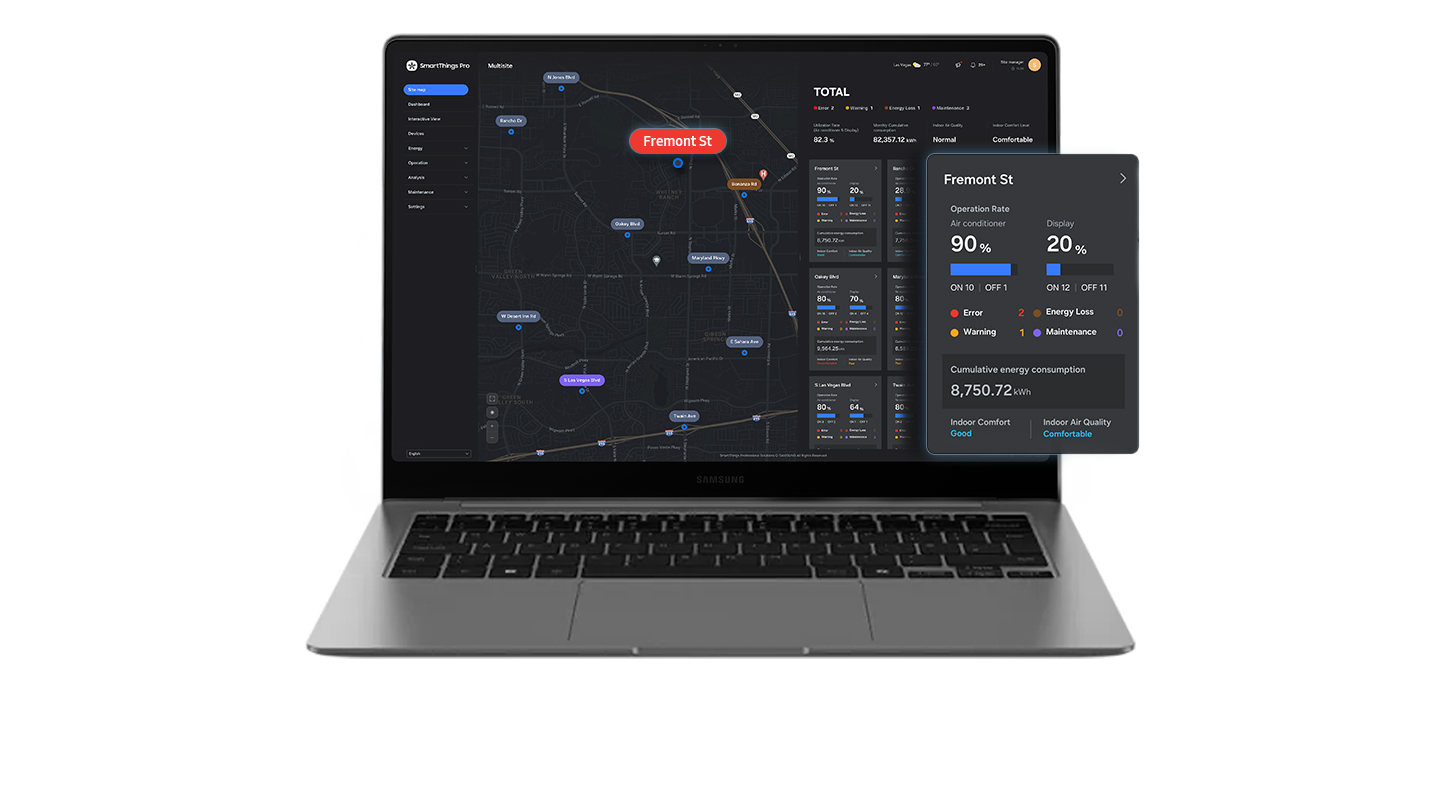
SmartThings Pro's control screen open on a laptop screen with information on multiple sites, device operation and energy consumption data.

Multi-site management

View key information on multiple sites at a glance, including operational status, error occurences and air quality data.

SmartThings Pro's control screen open on a laptop screen with a 3D-rendered Interactive View of a business space with information on connected devices and operation data.

Interactive View

Visualize your business space with robust built-in 3D rendering tools, allowing you to have an aerial view through interactive 3D maps.

SmartThings Pro's customized dashboard open on a tablet screen with connected IoT device information, multiple graphs and charts displaying device operation data, energy consumption data and monthly maintenance alarm status.

Infographic dashboard

Customize your own dashboard with elements of your choice to gain insights on real-time operational data and device performance.

SmartThings Pro's customized dashboard open on a computer screen with IoT device information, energy usage data charts, current status of energy-saving solutions and energy usage for the month.

Energy management

Manage critical information on energy performance, monitor usage by energy source, select optimal energy-saving solutions and track cost savings.

SmartThings Pro's customized dashboard with the menu for automated controls for pre-cooling and pre-heating and the menu for setting automated routines and schedules based on time and operation shown.

Automation

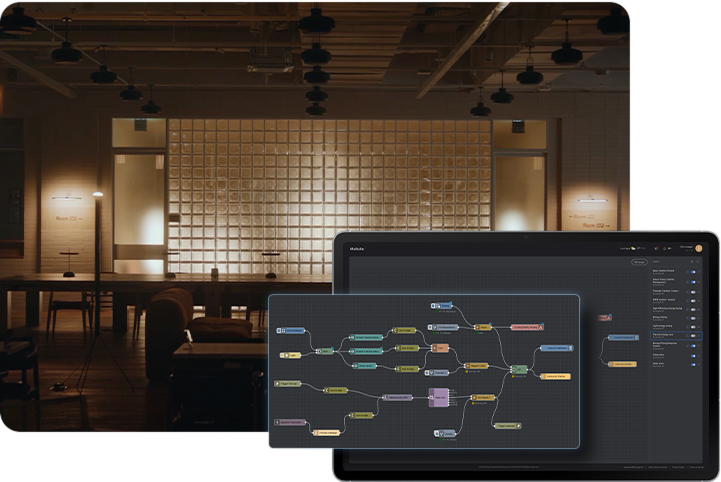
Set optimal schedules and condition-based automated routines for multiple devices, and build custom automations using an intuitive logic editor.

Customized for you

Samsung's SmartThings Pro IoT solution offers robust features that enhance the operational efficiency and elevate the value of your space.

Cloud-based architecture

SmartThings Pro is built on a cloud-based architecture, enabling integrated management of smart IoT devices and building facility equipment remotely through customized dashboards with support for 3rd party system integration.
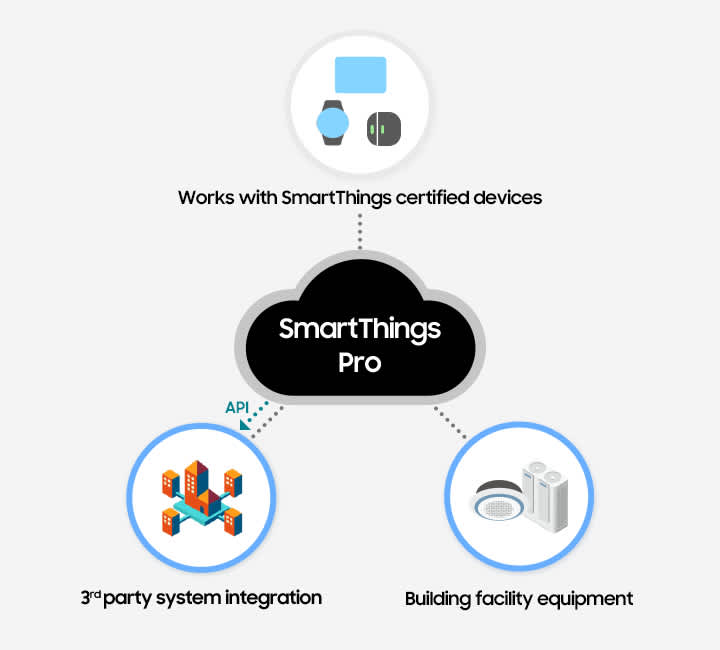
The cloud-based architecture of SmartThings Pro works with SmartThings certified devices, including Samsung TV, watch and SmartThings devices such as sensors, and building facility equipment, including HVAC and central air conditioning. SmartThings Pro supports 3rd party system integration through API.

AI Energy Mode

The AI-driven energy-saving mode automatically adjusts the energy usage of each device based on analysis of the environmental impact, energy rates and user comfort levels.
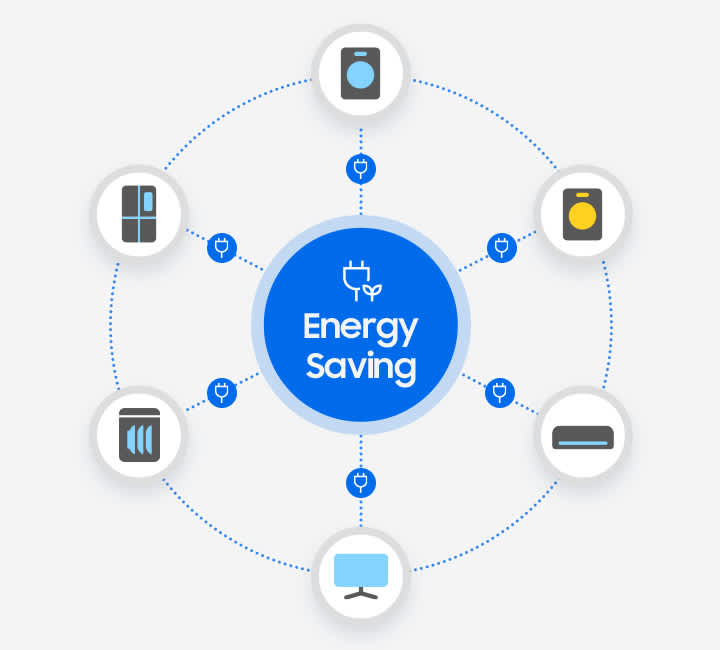
AI Energy Mode in SmartThings Pro provides intelligent energy management and optimization.

Inefficiency detection

Users are promptly notified when an energy inefficiency is detected based on real-time diagnostics of utilization data and device status.
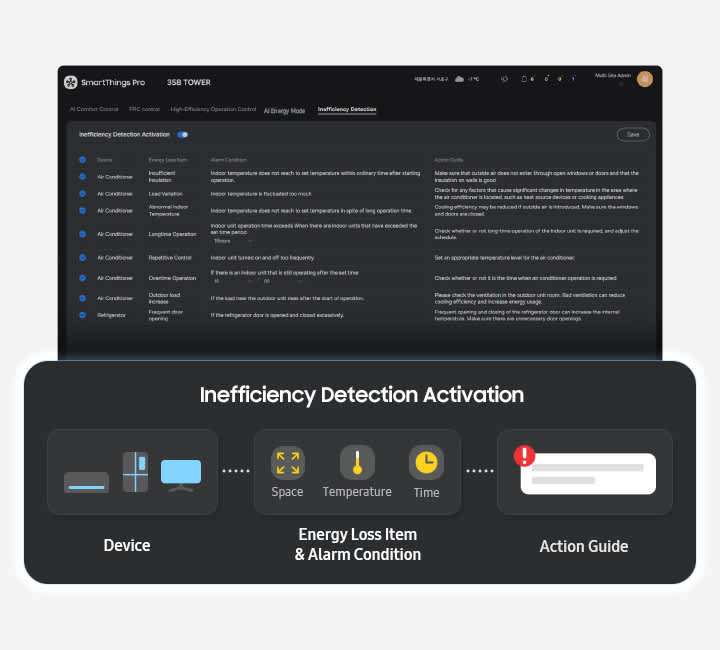
SmartThings Pro's control screen shown with a list of inefficiency detection notifications and a diagram for inefficiency detection activation with three parts - Device, Energy Loss Item and Alarm Condition, and Action Guide. Device contains three icons of home appliances and devices - air conditioner, refrigerator and computer screen. Energy Loss Item and Alarm Condition contains three icons for space, temperature and time.

High-efficiency HVAC operation

Operational efficiency for air conditioners is enhanced by controlling the refrigerant evaporation temperature (cooling) and compressor current (heating) of outdoor units based on indoor load prediction.
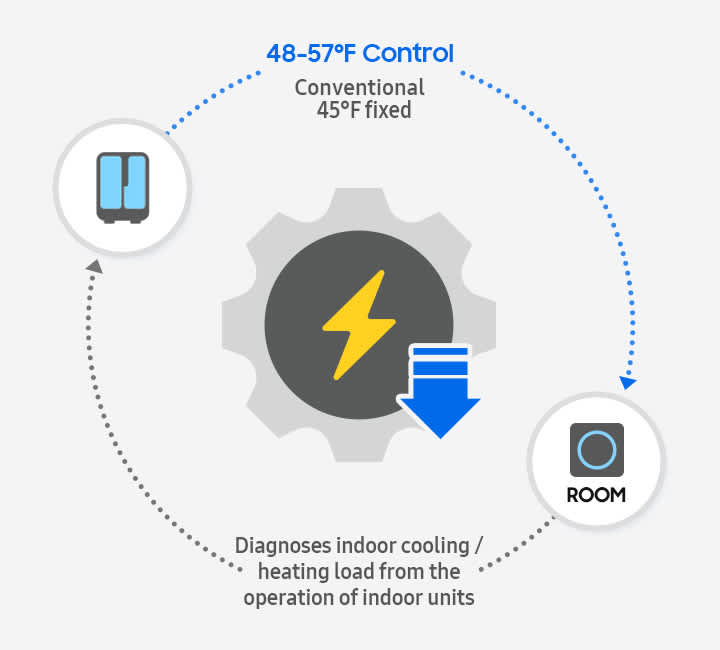
Diagram of an air conditioner's indoor and outdoor units that diagnoses the indoor cooling and heating loads from the operations of indoor units based on the room load and shows the operational efficiency. Conventional fixed temperature is 7 degrees Celsius and controlled temperature is 9-14 degrees Celsius.

Pricing response control

Operational costs are reduced by executing pre-heating and pre-cooling schedules and by adjusting temperature settings in accordance with energy rate fluctuations.
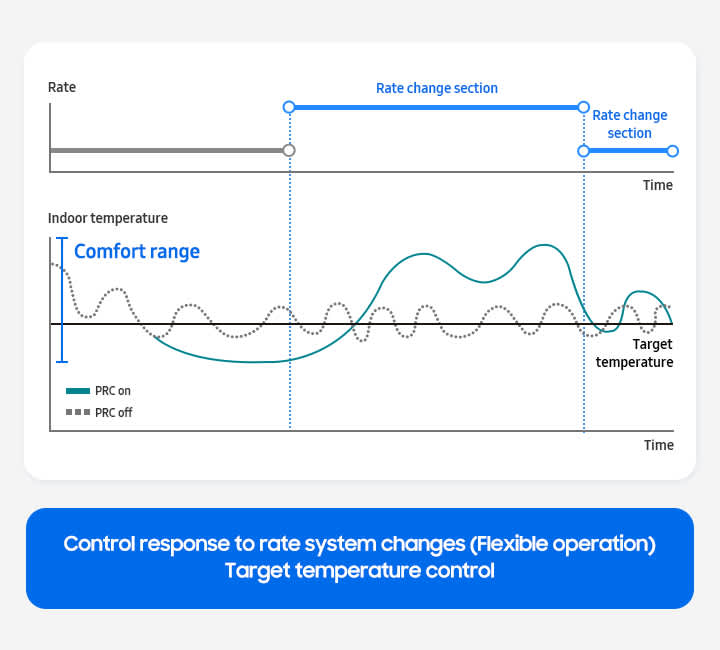
A chart representing the reduction of operational costs for air conditioners by comparing results with pricing response control on and off for control response to rate system changes section (flexible operation) and target indoor temperature control with comfort range and time.

AI Comfort control

AI Comfort Control automatically keeps your indoor environment just right by learning your patterns and preferences to adjust in real time preventing overcooling or overheating while saving energy.
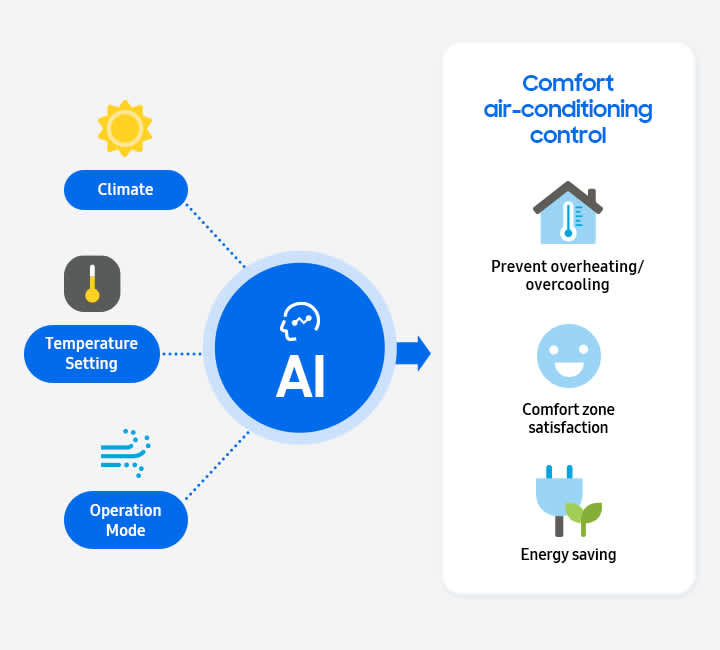
Diagram representing how AI Comfort air-conditioning control analyzes climate, temperature setting and operation mode to prevent overheating and overcooling, maintain comfort zone satisfaction and energy saving.

Pre-heating and pre-cooling control

Pre-heating and pre-cooling schedules are set by estimating the time required to reach the desired temperature through analysis of temperature changes and HVAC setting data.
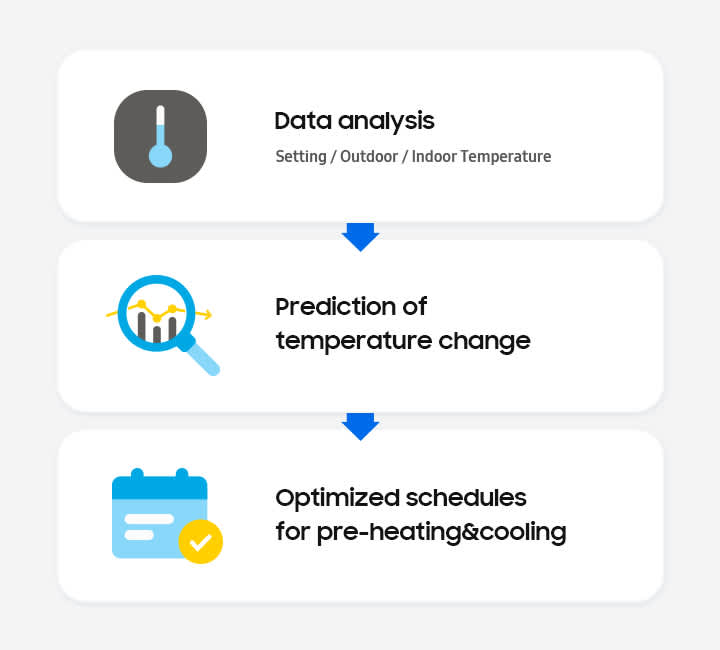
Using data analysis based on setting and indoor/outdoor temperatures, prediction of temperature change is performed and schedules for pre-heating and cooling are optimized for energy savings.

Energy analytics¹ and reports

Utilize a comprehensive suite of analytics on device operation, energy usage and air quality trends, and produce data-driven reports by site, as well as AI reports to facilitate decision-making.
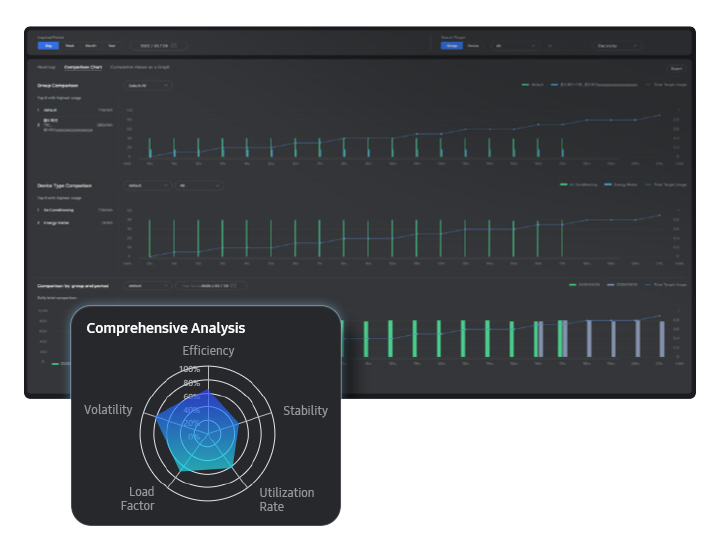
SmartThings Pro's control screen shown with a comprehensive analysis based on efficiency, stability, utilization rate, load factor and volatility.

Enterprise API

We provide standardized Enterprise APIs to our partners using dedicated B2B platforms, so they can implement the IoT experience offered by SmartThings Pro on their own platforms with seamless integration.

Diagram showcasing the seamless integration between SmartThings Pro and partner systems through Enterprise APIs for integrated management of Samsung home appliances, HVACs and displays, including air conditioners, B2B displays and other home appliances. Partner system works with SmartThings devices such as plugs, sensors and lighting. The integrated system can be applied to residential, retail, hospitality, corporate and and more.

Flexible license types

Experience essential IoT functionalities with Basic License or upgrade to Advanced License to use premium features such as energy-saving solutions, multi-site management, Interactive View and more.

*The table presents SmartThings Pro's Basic and Advanced license types with supported features in device management, energy management, integrated management, analysis, and developer tool. Both license types support remote control, schedule and rule-based automation, energy monitoring and AI energy mode, widget dashboard, operation status and report, and enterprise API. The Advanced license type additionally supports logic editor enabled automation, energy-saving solutions, multi-site management, and interactive view.

Get integrated offers

Contact our specialists for expert support and sales assistance on B2B integrated solutions.

Contact us

Customer success stories

See how we help businesses worldwide automate operations and enhance efficiency with integrated IoT management.

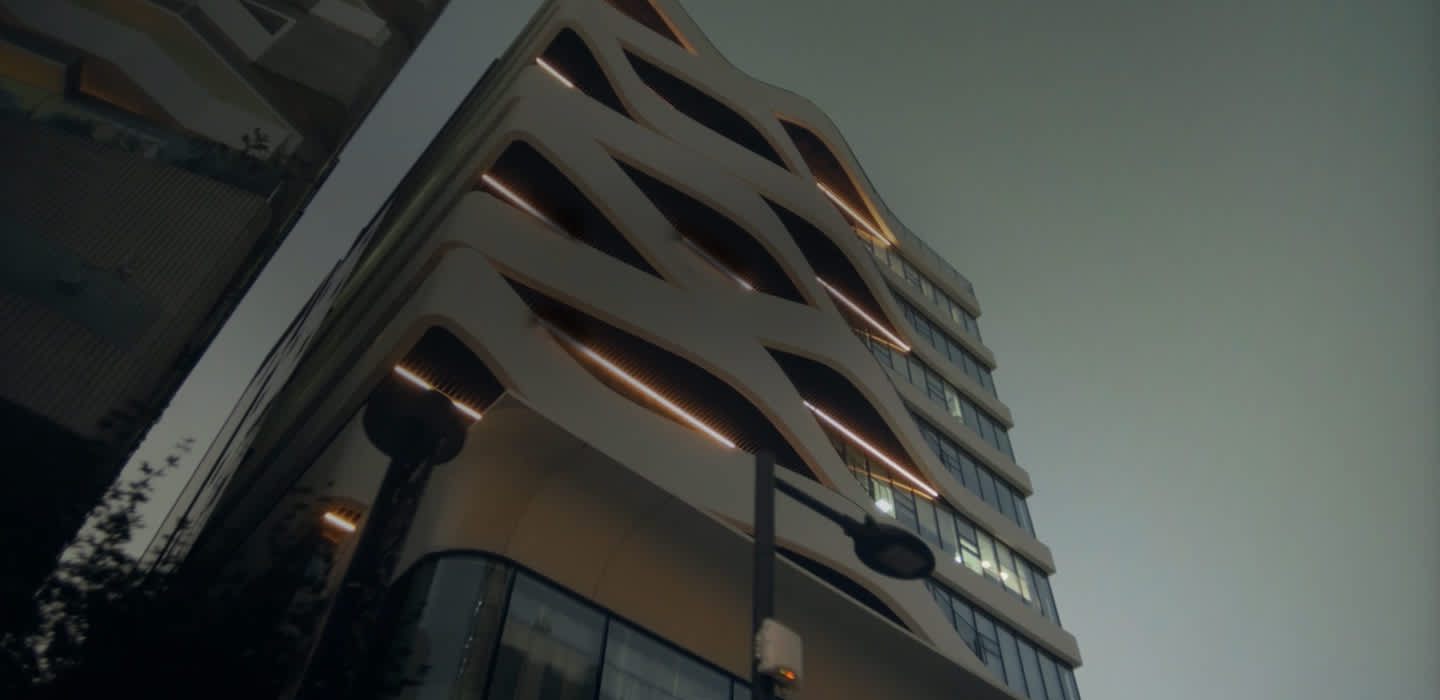
  • A view of the Episode Yongsan 241 residential building from below looking up at the modern exterior.
    Republic of Korea

    Episode Yongsan 241

  • Aerial view of the POSCO Zero Energy House townhouse complex with multiple residential properties lined next to each other.
    Republic of Korea

    POSCO Zero Energy House

  • A view of the Factorial Seongsu office building from below looking up at the modern exterior.
    Republic of Korea

    Factorial Seongsu

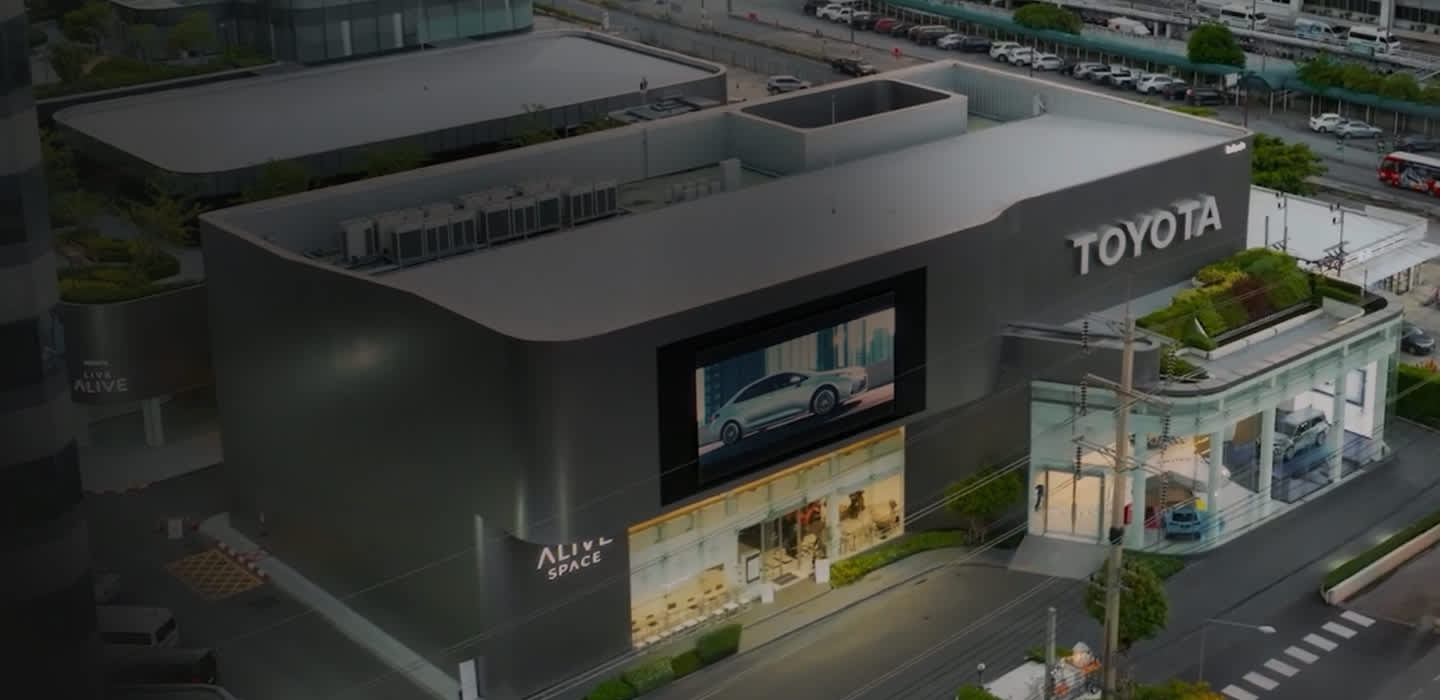
  • A view of the Factorial Seongsu office building from below looking up at the modern exterior.
    Thailand

    Toyota Alive

Indoor space of a private residential unit with modern bedroom interior and a Samsung air conditioner mounted on the ceiling. Hallway leading to multiple private residential units within the building with colorful floors and walls, and lights on the ceiling.
Aerial view of the POSCO Zero Energy House townhouse complex with multiple residential properties lined next to each other.
Bright office space with modern interior and several office workers shown using laptops and tablets. A young woman is standing in front of an access gate in an office lobby and a facial recognition solution is used to scan the woman and retrieve personal information, entry time, last entry and recent visit history by hour.
Close-up view of a large-screen display on the building exterior at night showing a Toyota car being driven next to a pool of water. Indoor space of the car showroom with Toyota cars lined next to each other and Samsung air conditioners mounted on the ceiling.

B2B Integrated Offering

Discover more about the future-ready Samsung B2B Integrated Offering and industry-specific comprehensive solutions tailored to your needs.

Learn more
Evening cityscape featuring high-rise buildings in the background, with light streaks connecting smaller buildings below — symbolizing how Samsung B2B Integrated Offering delivers consolidated and connected solutions.

FAQs

  • What is SmartThings?

    SmartThings is an IoT (Internet of Things) service and application provided by Samsung, which lets you control Samsung home appliances remotely and build automations by integrating other certified 3rd party devices. With SmartThings, anyone can experience smart lifestyle for free in areas, such as energy, food, air conditioning and pet care.

  • What is SmartThings Pro?

    Whereas SmartThings is a free B2C IoT solution, SmartThings Pro is a paid IoT solution designed for businesses. It offers advanced features and functionalities tailored to commercial buildings such as hotels, offices, schools and residential complexes. With SmartThings Pro, building managers can remotely control connected devices and use various services through a single app, provide customized experiences to residents or guests and streamline operations with intuitive dashboards. The service includes device onboarding application for installers.

  • What is the process for 3rd party companies to use the SmartThings Pro API?

    3rd party companies need to sign up on the SmartThings Developer Site (https://developer.smartthings.com/docs/api/public), which provides API documentation for developers, including information on how to create projects and work with the Samsung Electronics API and its services.

  • Can I use the same license when I register a new device to replace an existing one?

    Yes. Since the license is calculated based on the total number of currently registered devices, you can delete the existing device and register a new one.

  1. May require specific devices to enable analytics.
    Energy analytics requires energy meter or energy report-enabled devices (e.g. Samsung DVM S2, DVM Eco, DVM Home, B2B display).
  2. The UI shown in the images is still in development and may change upon market release.

Choose Your Language